Calm Tech in the office: technology that doesn’t distract - More technology doesn’t automatically make work better.
In the office, the phone rings. An email pops up. Teams notifies you of a new message. A reminder flashes on your second screen. On top of that, there are video calls, calendar alerts, and countless other tools competing for your attention.
Each individual distraction seems harmless. Together, they fragment your attention.
Data from Microsoft shows just how big the problem has become. An analysis of anonymised Microsoft 365 usage data revealed that, on average, employees are interrupted every two minutes during core working hours by meetings, emails or chats. That’s around 275 interruptions per working day. (Microsoft)
This is where Calm Tech comes in. The idea is simple: technology should not constantly vie for attention. It provides support when needed and otherwise remains in the background.
In Sedus INSIGHTS, Calm Tech is described as an approach to technologies that only respond when it is genuinely necessary. They respect people’s attention rather than overwhelming it.
Calm Tech predates smartphones and Teams
The term is not a reaction to the current wave of AI.
Its roots go back to the 1990s. Computer scientists Mark Weiser and John Seely Brown developed the idea of ‘Calm Technology’ at Xerox PARC. In their 1995 paper, ‘Designing Calm Technology’, they described technology that does not need to be the constant focus of our attention. Information can remain in the background and only come to the fore when it becomes relevant. (calmtech.com)
Later, technology researcher Amber Case took up this approach. She further developed the design principles and made Calm Technology accessible to a wider audience. Her book, ‘Calm Technology’ was published in 2015. (calmtech.com)
The basic idea remains remarkably relevant to this day: technology does not need to demand even more of our attention. Good technology helps us to focus our attention more effectively.
When technology gets in the way
Digital tools are designed to make work easier. They provide information, speed up communication, automate tasks and enable remote collaboration.
Yet these same tools create new pressures.
Sedus INSIGHTS describes a working environment where notifications, emails, phone calls and noisy offices constantly disrupt concentration. Attention is thus becoming an increasingly valuable resource.
Added to this is an effect that researchers call ‘attention residue’.
Sophie Leroy demonstrated in experiments that when switching between tasks, attention does not automatically follow through completely. Particularly in the case of unfinished tasks, parts of one’s thoughts remain with the previous activity. This mental ‘residual attention’ can impair performance on the next task. (ScienceDirect)
The problem, therefore, is not just the duration of an interruption.
It is also what lingers in the mind afterwards.
You can find out more on this topic in our article ‘Actively shaping concentration’.
When every tool responds at any given moment, people have to constantly reassess: Is this important? Do I need to reply? Can this wait?
Support becomes a disruption.
After all, the flip side of digitalisation is the constant availability of information, virtual meetings and the constant use of digital technologies. Our article, ‘Strategies to combat digital exhaustion in the workplace: measures for greater wellbeing’ discusses measures to combat digital exhaustion in the workplace.
So what does ‘Calm Tech’ mean?
Calm Tech reverses this logic.
Technology does not need to be constantly visible. It does not need to display every piece of information immediately. And it does not need to send signals incessantly.
The Calm Tech Institute, featured in Sedus INSIGHTS, sets standards for technologies that only become active when necessary. The aim is technology that conserves attention.
This also changes how digital products are assessed. It is not just the question ‘What can the tool do?’ that matters. Equally important is: ‘How much attention does it demand in return?’
Calm Tech regards attention as a limited resource, a sort of attention budget.
This also distinguishes the approach from related concepts:
• Digital Wellbeing focuses primarily on a healthier approach to digital media.
• Right to Disconnect deals with the limits of professional availability.
• Human-centred design fundamentally places human needs at the heart of product development.
• Calm Tech specifically asks when technology should claim our attention at all, and when it should not.
How can you really recognise ‘calm’ technology?
Not every minimalist interface is automatically Calm Tech. Concrete assessment criteria are helpful for businesses.
1. Default ‘silent’ rather than default ‘loud’
A new tool should not automatically send a push notification for every activity.
The default setting is: silent.
Users actively enable only the notifications they really need.
2. Summary rather than a stream of notifications
Twelve individual notifications create twelve potential interruptions.
A consolidated summary can convey the same information with far fewer shifts in attention.
3. Action relevance before urgency signals
Before an application interrupts a user, one question should be clarified: does this person need to take action right now?
If the answer is no, the information can wait.
4. From the periphery to the centre – only when necessary
Calm Tech utilises the periphery.
A subtle light signal, a status indicator or consolidated information at the periphery may suffice. Only when there is a genuine need for action does the information move to the centre of attention.
5. Control remains with the user
People must be able to influence notifications, focus periods and escalation pathways themselves.
A Calm Tech system can be controlled. It does not control the person.
Fewer stimuli, more energy
Calm Tech does not simply mean switching devices off.
Technology can also help to protect attention.
One example from Sedus INSIGHTS is Copilot for Researchers. The AI assistant takes on tasks such as literature reviews, grant applications and report writing. The aim is to reduce administrative workload and free up more time for the actual research.
This highlights an important distinction.
Good technology does not merely consume attention. It can also free up attention.
“Our article ‘AI as a Relief’ also shows how AI can help to conserve cognitive energy.”
It takes on routine tasks so that people can concentrate on complex, creative or strategic activities.
If, on the other hand, technology constantly generates new information, news and decisions, the cognitive load increases.

Three examples – and what companies can learn from them
Sedus INSIGHTS presents a range of different approaches. They demonstrate just how broadly ‘Calm Tech’ can be conceived.
reMarkable: consciously limiting digital functionality
The reMarkable tablet stands for a minimalist approach to digital technology. The focus is on reading and note-taking, not on offering as many parallel functions as possible. Sedus INSIGHTS cites it as an example of a certified device designed for undisturbed work.
For companies, it is not so much the individual product that is of interest as the principle: does a tool really need to be able to do everything?
For a pilot study, for example, one could investigate whether a device with fewer distractions increases uninterrupted focus time or reduces the number of app switches during selected tasks.
Mendi: technology for personal focus
The Mendi neurofeedback headset is designed to support attention and emotional self-regulation. To this end, it monitors changes in blood flow and oxygen levels in the prefrontal cortex and provides real-time feedback during the exercises. Sedus INSIGHTS classifies it as a mindful, health-oriented approach to technology.
However, a clear boundary is important here:
A neurofeedback system generates potentially sensitive data. This raises not only the question of effectiveness but also issues of data protection, voluntary participation and purpose.
Moodsonic: Technology blends into the space
The approach of adaptive soundscapes is even more subtle.
Moodsonic responds to environmental data and generates customisable, nature-inspired soundscapes. According to Sedus INSIGHTS, these are designed to reduce distractions and support concentration, collaboration and relaxation.
Here, people do not constantly interact with a screen.
Instead, the technology alters the environment.
You can read more about biophilic soundscaping in the article ‘Biophilic Soundscaping: Concentration through the Sounds of Nature’
This comes particularly close to the original idea behind Calm Tech: technology works without constantly demanding attention.
For a corporate pilot, for example, periods of concentration, subjectively perceived distraction and acoustic conditions could be compared before and after implementation.

More sensors do not automatically mean a quieter environment
This is a key area of tension. Measuring, automating and intelligently controlling environments often requires additional sensors and systems. However, a ‘smart’ environment can itself generate new stimuli. A sensor that constantly sends alerts does not solve the problem; it merely shifts it.
A calm implementation therefore follows a hierarchy:
Ambient signal → Summary → Targeted notification → Alarm only in exceptional cases.
Not every piece of information needs a push notification.
Not every change needs to be displayed on a screen.
And not every measurement needs to be visible to the user at all.
Calm Tech starts in the room
Technology for focused work does not have to be on the desk.
It can become part of the room.
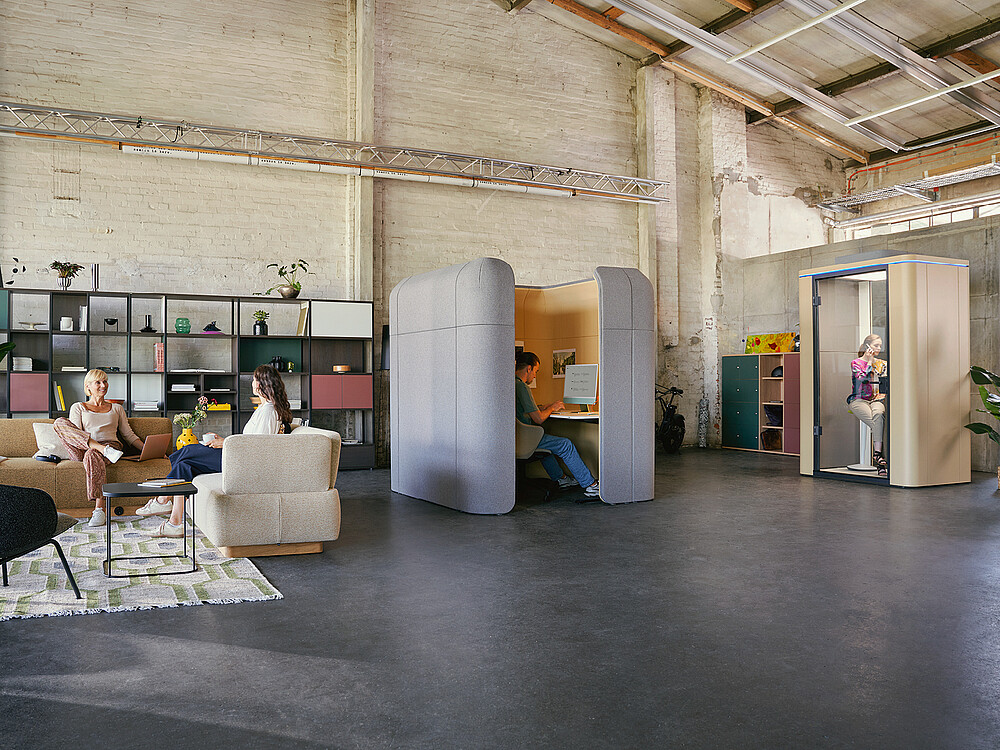
You can find out how to design focus zones correctly in our article ‘Acoustic rules for focus zones: From “quiet” to truly silent’.
Sedus INSIGHTS highlights digital tools that show where quiet zones are available or measure light and noise in real time. This creates a link between the digital and physical working environments.
An example: a system indicates where a quiet workspace is available.
Employees do not have to walk through the building searching for one. They can find a suitable spot straight away.
The technology thus reduces the effort involved in searching, rather than creating an additional task.
Freedom of choice must be put into practice
‘Technology should promote freedom of choice’ sounds good. For companies, however, this must become standard practice. Employees can, for example, be given choices regarding:
• Notification profiles: Which notifications are allowed to come through immediately?
• Focus periods: When are messages automatically bundled or muted?
• Channel management: What information belongs in chat, email or a project tool?
• Meeting standards: When is a meeting actually necessary?
• Status signals: How do employees indicate periods when they are focused and not to be disturbed?
• Workspaces: Which focus, team or quiet zones are currently available?
This is how autonomy is put into practice.
Not every workplace can be on ‘mute’
Calm Tech must not ignore the realities of different roles. In support, a critical customer issue must be dealt with quickly. In sales, an important call-back may be time-sensitive. In on-call duties, alerts are part of the job.
Here, Calm Tech does not mean: no interruptions.
It means: better escalation.
For example:
Level 1: Non-urgent information is collected.
Level 2: Time-sensitive information appears within defined time slots.
Level 3: Urgent cases may interrupt a focus mode.
Level 4: Critical events trigger an immediate alert.
Stand-in rules provide additional support. When a person is in a focus phase, a colleague takes over defined urgent enquiries.
In this way, Calm Tech protects concentration without eliminating availability where it is needed.
Seven steps towards a calmer digital workplace
Calm Tech does not have to start with a major technology project.
A pragmatic roadmap is sufficient.
1. Carry out a stimulus audit
- Which tools are in use?
- Which of these generate push notifications, sounds, pop-ups, emails or reminders?
- And how often?
2. Change the defaults
- Not everything needs to send notifications by default.
- Switch off sounds, disable irrelevant push notifications and consolidate information.
3. Remove redundant tools
- If the same information arrives via email, chat and project software, it creates artificial interruptions.
- One channel per purpose creates clarity.
4. Link digital and physical zones
- Focus rooms, quiet zones and team areas should be digitally locatable.
- Technology helps with orientation without cluttering the space with screens.
5. Start with a pilot team
- Don’t roll out the change across the whole company straight away.
- A team tests new notification rules, focus times and tools over a set period.
6. Set rules together
- Calm Tech isn’t just about IT.
- Teams need shared standards for availability, meetings, focus times and escalations.
7. Measure the impact and make adjustments
- What works, stays.
- Anything that creates new distractions is changed.
- Calm Tech is not a static state. It is a continuous improvement process.
- Making attention measurable
It is possible to check whether the approach works.
For example, a company can compare the following metrics before and after a pilot:
- KPIs – What is being measured?
- Notifications per hour – How many digital signals do employees receive?
- Context switches per day – How often do people switch between applications or tasks?
- Uninterrupted focus time – How long can work be carried out on a task without interruption?
- Reshuffle time – How long does it take to resume the original work productively after an interruption?
- Focus mode usage – How frequently are ‘Do Not Disturb’ or focus windows used?
- Subjective distraction – To what extent do employees feel disturbed by digital stimuli?
The before-and-after comparison is crucial.
Measure first. Then change defaults, tools or rules. Measure again afterwards.
This turns the good intention of ‘less distraction’ into a verifiable intervention.
What is the cost of an interruption?
Attention can also be quantified in economic terms. A simple internal calculator is all that’s needed:
Interruptions per day × average time to get back on track × working days × internal hourly rate.
An example, deliberately presented only as a calculation model:
If a person is interrupted ten times a day by avoidable digital signals and loses just three minutes per interruption – including the time taken to get back on track – this amounts to 30 minutes per day.
Over 220 working days, that amounts to 110 hours per year.
At an imputed staff cost rate of 60 euros per hour, this equates to 6,600 euros per person per year.
This does not mean that every interruption is entirely avoidable or that every minute can be directly counted as a loss.
However, the calculation demonstrates why attention is also relevant from a business perspective.
Data protection: ‘calm tech’ must not become covert surveillance
The more offices rely on sensor technology, environmental data or neurotechnology, the more important a second question becomes: what data is generated in the process?
Particularly high standards apply to personal or biometric data. The GDPR requires, amongst other things, purpose limitation, data minimisation and transparency. Biometric and health data also fall into categories of data requiring special protection.
Four principles should therefore apply to Calm Tech:
- Data minimisation: Only collect what is truly necessary for the function.
- Transparency: Employees must understand what data is generated and what it is used for.
- Purpose limitation: Data intended to improve the working environment must not be used implicitly for performance or behavioural monitoring.
- Privacy by Design: Where possible, process data anonymously or locally, and avoid storing it centrally in a personally identifiable form in the first place.
Voluntary participation alone does not automatically resolve all data protection issues in the employment relationship. Particularly when it comes to sensitive data, data protection officers and, depending on the organisation, employee representatives should be involved at an early stage.
This also aligns with the principles of Calm Tech:
Technology cannot be considered ‘calm’ if it protects attention whilst simultaneously eroding trust.
Calm Tech and interior design go hand in hand
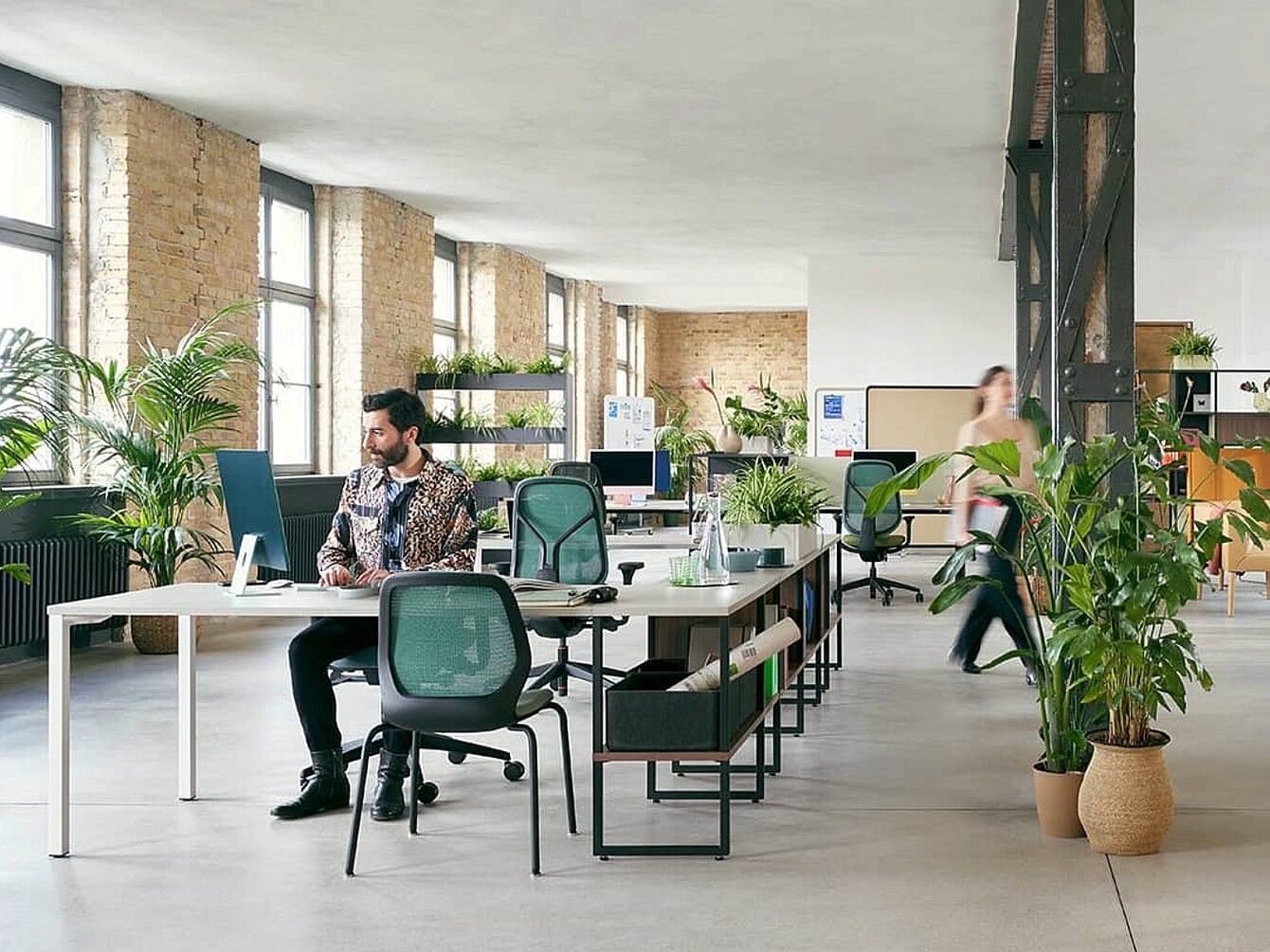
Technology alone does not create focus. The physical space must also support concentration. Sedus INSIGHTS describes working environments featuring open-plan areas, quiet workspaces, focus rooms and transition zones. Digital technologies can complement this structure.
They can:
- display available focus spaces,
- monitor environmental conditions,
- adjust lighting and acoustics,
- automate routine tasks,
- consolidate information,
- and avoid unnecessary interruptions.
This creates an office in which technology and interior design work in harmony.
The aim is not to have less technology
Calm Tech is easily misunderstood. It is not about an analogue office. Nor is it about reversing digitalisation. It is about a more conscious approach to technology.
Technology should be present where it brings a tangible benefit, and should take a back seat where it merely distracts attention.
Companies should therefore ask themselves, whenever introducing a new tool, not only: “What functions does it offer us?”
But also:
- “What new signals are we generating?”
- “Which old tools will this render redundant?”
- “What attention does this free up?”

The quietest technology is often the most effective
The future of the office will not be any less technological. However, it can become more consciously technological.
Calm Tech stands for technology that filters information, takes over routine tasks, makes spaces smarter and provides guidance without constantly pushing itself into the foreground.
It signals from the background before it interrupts.
It consolidates before it pushes.
It can be controlled.
And it distinguishes between mere information and a genuine need for action.
Because concentration doesn’t need more signals.
It needs control over which signals reach our attention in the first place.
That is the strength of Calm Tech:
Technology does not become the centre of the office. It creates the conditions that allow people to remain at the centre.
Related posts
Acoustic guidelines for focus zones: From ‘quiet’ to truly silent

social media channels: